
How to Optimize Your Website for Better SEO Indexing | Optimizing your website for SEO indexing is one of the most important steps in improving your website’s search engine visibility, organic traffic, and search rankings. SEO indexing is the process by which search engines such as Google discover, crawl, analyze, and store your webpages in their search index so they can appear in search results when users search for relevant topics. If a webpage is not indexed, it cannot rank or receive organic traffic, regardless of how well the content is optimized.

How to Optimize Your Website for Better SEO Indexing | To ensure proper indexing, your website should be easy for search engine bots to crawl and understand. Key SEO indexing best practices include creating and submitting an XML sitemap, configuring the robots.txt file correctly, using Google Search Console to request indexing and monitor indexing status, optimizing your website’s internal linking structure, improving page speed and Core Web Vitals, ensuring mobile-friendliness, fixing crawl errors, removing duplicate content, implementing canonical tags where necessary, and maintaining a secure HTTPS website.
What Is Website Indexing in SEO and Why Is It Important?
SEO indexing is the process by which search engines such as Google, Bing, and other search engines discover, crawl, analyze, and store your website’s webpages in their search index. Once a page has been successfully indexed, it becomes eligible to appear in search engine results pages (SERPs) whenever users search for relevant keywords or topics. During the indexing process, search engines evaluate your page’s content, structure, metadata, internal links, images, and other SEO signals to understand its purpose and relevance.
How to Optimize Your Website for Better SEO Indexing | SEO indexing is a fundamental part of Search Engine Optimization (SEO) because only indexed webpages can rank in search results and receive organic traffic. If a webpage is not indexed, it remains invisible to users searching through search engines, regardless of the quality of its content. Factors such as crawlability, website structure, XML sitemaps, robots.txt configuration, internal linking, mobile-friendliness, page speed, HTTPS security, and high-quality content all influence whether a page is successfully indexed.
How Google Crawls, Indexes, and Ranks Your Website
SEO indexing is the process by which search engines such as Google discover, crawl, analyze, and store your website’s webpages in their search index. Before a webpage can appear in search engine results pages (SERPs), it must first be crawled and indexed. During this process, search engine bots visit your website, follow internal and external links, examine the page’s content, and collect important information to understand what the page is about.
How to Optimize Your Website for Better SEO Indexing | After crawling, search engines evaluate numerous SEO factors, including content quality, keyword relevance, title tags, meta descriptions, heading structure, internal linking, URL structure, page speed, mobile-friendliness, Core Web Vitals, structured data (Schema Markup), HTTPS security, canonical tags, and overall website architecture. If the page meets Google’s quality and indexing requirements, it is added to the search index and becomes eligible to appear for relevant search queries.
How to Optimize Your Website for Faster SEO Indexing
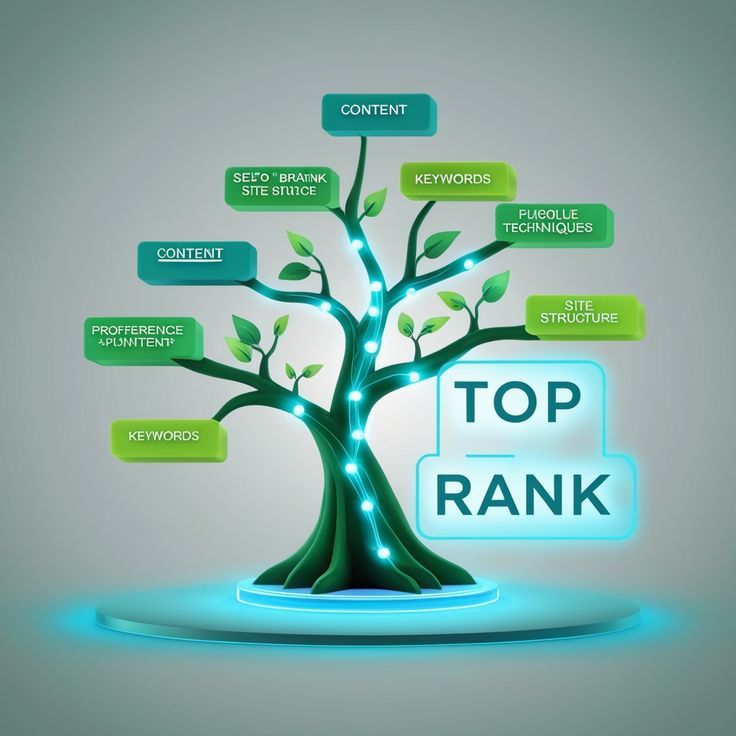
SEO indexing is a fundamental component of Search Engine Optimization (SEO) because it determines whether your webpages can appear in search engine results pages (SERPs). If a webpage is not indexed, it cannot rank for relevant keywords or generate organic traffic, regardless of how well the content is optimized. Proper SEO indexing ensures that search engines can discover, understand, and store your webpages in their search index, making them eligible to appear when users search for related topics.
How to Optimize Your Website for Better SEO Indexing | Optimizing your website for SEO indexing requires implementing both Technical SEO and On-Page SEO best practices that improve crawlability, accessibility, and content discoverability. This includes creating and submitting an XML sitemap, configuring the robots.txt file correctly, improving internal linking, optimizing website speed and Core Web Vitals, ensuring mobile responsiveness, using HTTPS security, fixing crawl errors, eliminating duplicate content, implementing canonical tags, and regularly monitoring your website through Google Search Console.
1.Create and Submit a Sitemap for Better SEO Indexing
How to Optimize Your Website for Better SEO Indexing | An XML sitemap is a structured file that lists the most important pages on your website, helping search engines like Google discover, crawl, and index your content more efficiently. It acts as a roadmap for search engine crawlers by providing information about your website’s URLs, content updates, page hierarchy, and modification dates. An XML sitemap is especially valuable for large websites, newly launched websites, e-commerce stores, and websites with pages that may not be easily discovered through internal links.
2.Ensure Proper Website Crawlability Using Robots.txt
The robots.txt file is an essential Technical SEO component that helps control how search engine crawlers access and crawl your website. Located in the root directory of your website, this simple text file provides instructions to search engine bots about which pages, folders, or files they are allowed to crawl and which areas should be excluded. Properly configuring the robots.txt file improves crawl efficiency by directing search engines to focus on your most valuable and indexable content.
Why Is Robots.txt Important?
How to Optimize Your Website for Better SEO Indexing | An incorrectly configured robots.txt file can accidentally block important webpages from being crawled, preventing them from being indexed and appearing in search engine results. This can significantly impact your website’s organic visibility and search performance. A properly optimized robots.txt file helps search engines prioritize essential content while preventing unnecessary crawling of low-value or private areas of your website.
3.Optimize Your Website for Mobile Devices
With Google’s mobile-first indexing, Google primarily uses the mobile version of your website to crawl, index, and rank your webpages. This means your website must deliver an excellent experience on smartphones and tablets, as mobile usability is now a critical ranking factor. If your website is not mobile-friendly, users may experience navigation issues, slow loading times, or inaccessible content, which can negatively affect your SEO performance, user engagement, and search rankings.How to Optimize Your Website for Better SEO Indexing |
Why Is Mobile Optimization Important?
A large percentage of global web traffic now comes from mobile devices, making mobile optimization essential for both users and search engines. Google prioritizes websites that provide a fast, responsive, and user-friendly mobile experience because it improves usability, reduces bounce rates, and increases visitor satisfaction.
4. Improve Page Load Speed
Website page speed is a critical SEO ranking factor and an essential part of Technical SEO because it directly influences search engine crawling, indexing, user experience, and organic search performance. Fast-loading websites allow search engine bots to crawl more pages efficiently while providing users with a smooth and responsive browsing experience. In contrast, slow-loading websites can reduce crawl efficiency, delay indexing, increase bounce rates, and negatively impact search engine rankings.

Why Is Page Speed Important?
Google considers page speed and Core Web Vitals when evaluating website quality. A slow website can frustrate visitors, decrease user engagement, reduce conversions, and limit the number of pages search engines can crawl during each visit. Faster websites improve user satisfaction, encourage longer browsing sessions, and contribute to stronger SEO performance.
5. Use Internal Linking Strategically
How to Optimize Your Website for Better SEO Indexing | Internal linking is a fundamental On-Page SEO and Technical SEO practice that helps search engines discover, crawl, and index your website more efficiently. By connecting related webpages through internal links, you create a clear navigation path for both users and search engine bots. A well-planned internal linking structure improves content discoverability, distributes page authority (link equity), strengthens your website architecture, and enhances the overall user experience.
Why Is Internal Linking Important?
Without proper internal links, search engines may struggle to discover important webpages, particularly those that are deeply nested or not directly linked from your homepage. A strong internal linking strategy ensures that valuable pages are easily accessible, improves crawl efficiency, increases indexing opportunities, and helps search engines better understand the relationship between your content.
6.Optimize Your Content for Better SEO Performance
- Conduct thorough keyword research and naturally include primary, secondary, and long-tail keywords throughout your content.
- Optimize important On-Page SEO elements, including title tags, meta descriptions, headings (H1, H2, H3), URLs, image alt text, and internal links.
- Structure your content using clear headings, short paragraphs, bullet points, numbered lists, and visual elements to improve readability.
- Write comprehensive content that fully addresses user search intent and answers common questions.
- Add relevant internal and external links to improve topical authority and user experience.
- Keep your content updated with the latest information, statistics, and industry trends to maintain freshness and relevance.
SEO Tip
Focus on creating high-quality, original, and user-focused content that educates, solves problems, and provides actionable value. Instead of writing only for search engines, prioritize your audience by delivering accurate, engaging, and easy-to-understand information. Regularly updating existing content also helps maintain SEO relevance, search rankings, and organic traffic.
7. Fix Broken Links and Redirects
How to Optimize Your Website for Better SEO Indexing | Broken links and incorrect redirects can negatively impact your website’s SEO, crawlability, indexing, and user experience. When search engine crawlers encounter 404 (Page Not Found) errors, redirect loops, or invalid URLs, they may be unable to access important webpages, reducing crawl efficiency and preventing valuable content from being properly indexed. Likewise, broken links create a poor user experience, which can increase bounce rates and reduce website credibility.
Why Are Broken Links and Redirects Important?
Search engines expect websites to provide a smooth navigation experience. A large number of broken links, crawl errors, or improperly configured redirects can waste a website’s crawl budget, limit search engine access to important pages, and negatively affect search rankings. Proper redirect management also ensures that page authority (link equity) is preserved when webpages are moved or updated.
8.Submit Your Website to Search Engines for Faster Indexing
How to Optimize Your Website for Better SEO Indexing | Submitting your website to search engines accelerates the discovery of new or updated webpages, helping them become eligible to appear in search results sooner. It is especially useful after publishing new content, redesigning your website, migrating to a new domain, or resolving technical SEO issues that previously prevented indexing.
How to Submit Your Website to Search Engines
- Verify your website in Google Search Console and Bing Webmaster Tools.
- Submit your XML sitemap to help search engines discover all important pages.
- Use Google Search Console’s URL Inspection Tool to request indexing for new or updated webpages.
- Submit your sitemap through Bing Webmaster Tools to improve crawling and indexing on Bing.
- Monitor indexing status, crawl reports, and coverage issues regularly to ensure all important pages are indexed successfully.
9.Monitor SEO Performance and Crawl Stats for Better Rankings
How to Optimize Your Website for Better SEO Indexing | Continuous monitoring helps you detect problems such as indexing errors, crawl issues, broken pages, duplicate content, server errors, and mobile usability problems that may prevent important webpages from appearing in search results. By identifying these issues early, you can maintain a healthy website, improve search engine accessibility, and maximize your organic search performance.
How to Monitor and Optimize SEO Performance
- Regularly review the Page Indexing, Crawl Stats, and Sitemaps reports in Google Search Console.
- Monitor Core Web Vitals, page experience, and mobile usability to ensure your website meets Google’s performance standards.
- Identify and resolve 404 errors, redirect issues, server errors, blocked pages, duplicate content, and crawl anomalies.
- Verify that newly published or updated pages are successfully crawled and indexed.
- Keep your XML sitemap updated and monitor its submission status.
- Track keyword rankings, impressions, clicks, click-through rates (CTR), and average search positions to evaluate overall SEO performance.